Homegroup was a Windows feature for sharing files and printers on a small network. Microsoft deprecated Homegroup in Windows 10 version 1803 and removed it in later builds, so modern Windows 10/11 devices no longer have the feature. If you still manage older builds or want to lock down the setting for defense in depth, you can enforce “Prevent the computer from joining a homegroup” via an Intune Settings catalog profile so that joining a homegroup is disabled by policy.
This guide walks through creating a Settings catalog configuration profile, adding the Administrative Template setting that prevents the computer from joining a homegroup, and assigning the profile to users or devices.
Why Configure This?
On current Windows 10/11 releases, Homegroup is already removed, so the risk of users joining a homegroup is low. Configuring the policy anyway can still be useful if you have devices on older Windows 10 builds where the feature might still be present, or if you want a consistent baseline that explicitly disables the option. File and printer sharing in modern Windows is done via workgroups, network discovery, and shared folders with permissions. Not Homegroup.
What You’ll Configure
- A Settings catalog configuration profile for Windows 10 and later.
- Under Administrative Templates → Windows Components → Homegroup: enable Prevent the computer from joining a homegroup.
Step 1: Create a Settings Catalog Profile
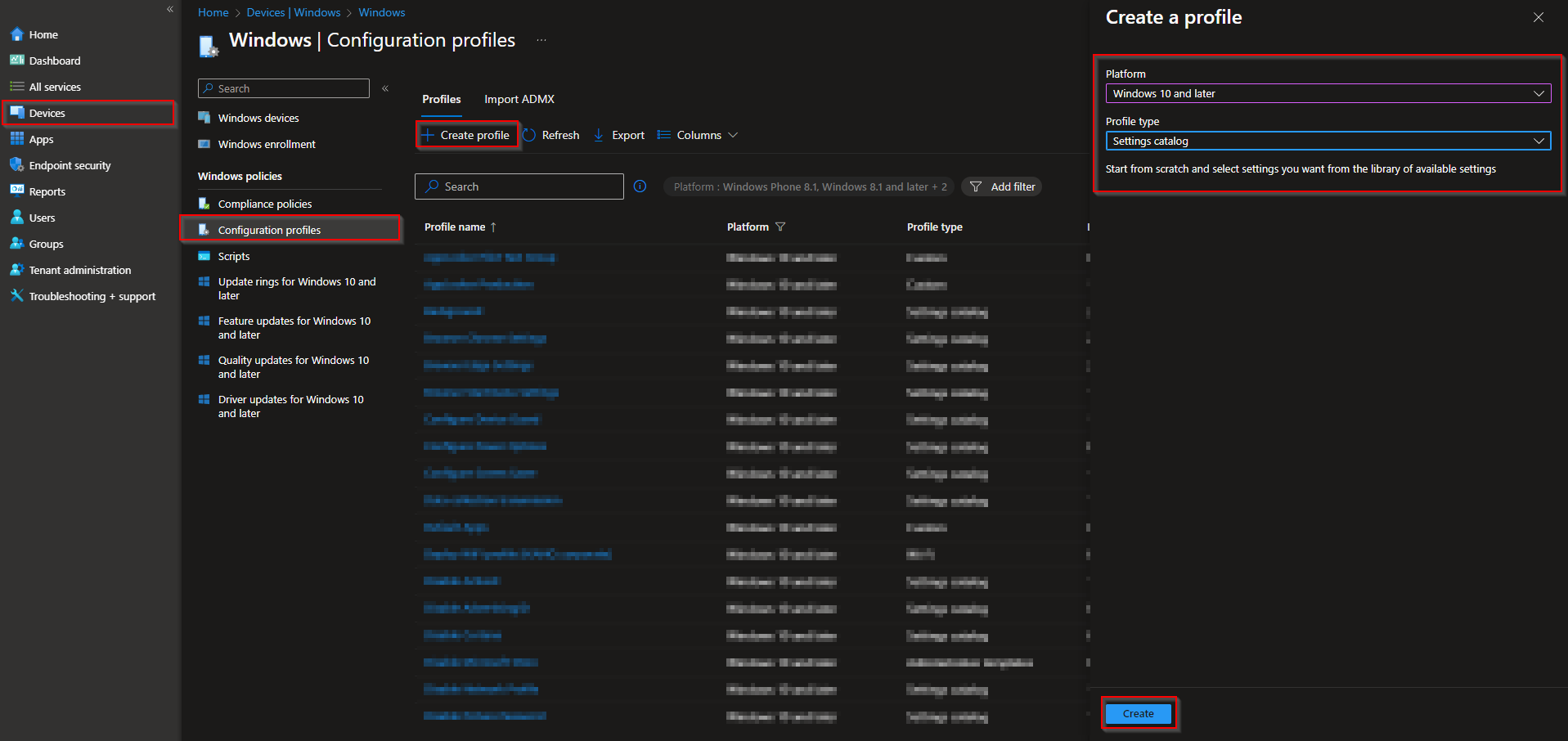
In the Microsoft Intune admin center, go to Devices → Windows → Configuration profiles. Click Create → New policy. Choose Windows 10 and later as the platform and Settings catalog as the profile type. Click Create.
Step 2: Basics
On Basics, give the profile a name (e.g. WIN-Prevent Homegroup Join) and optionally a description. Click Next.

Step 3: Add the Homegroup Setting
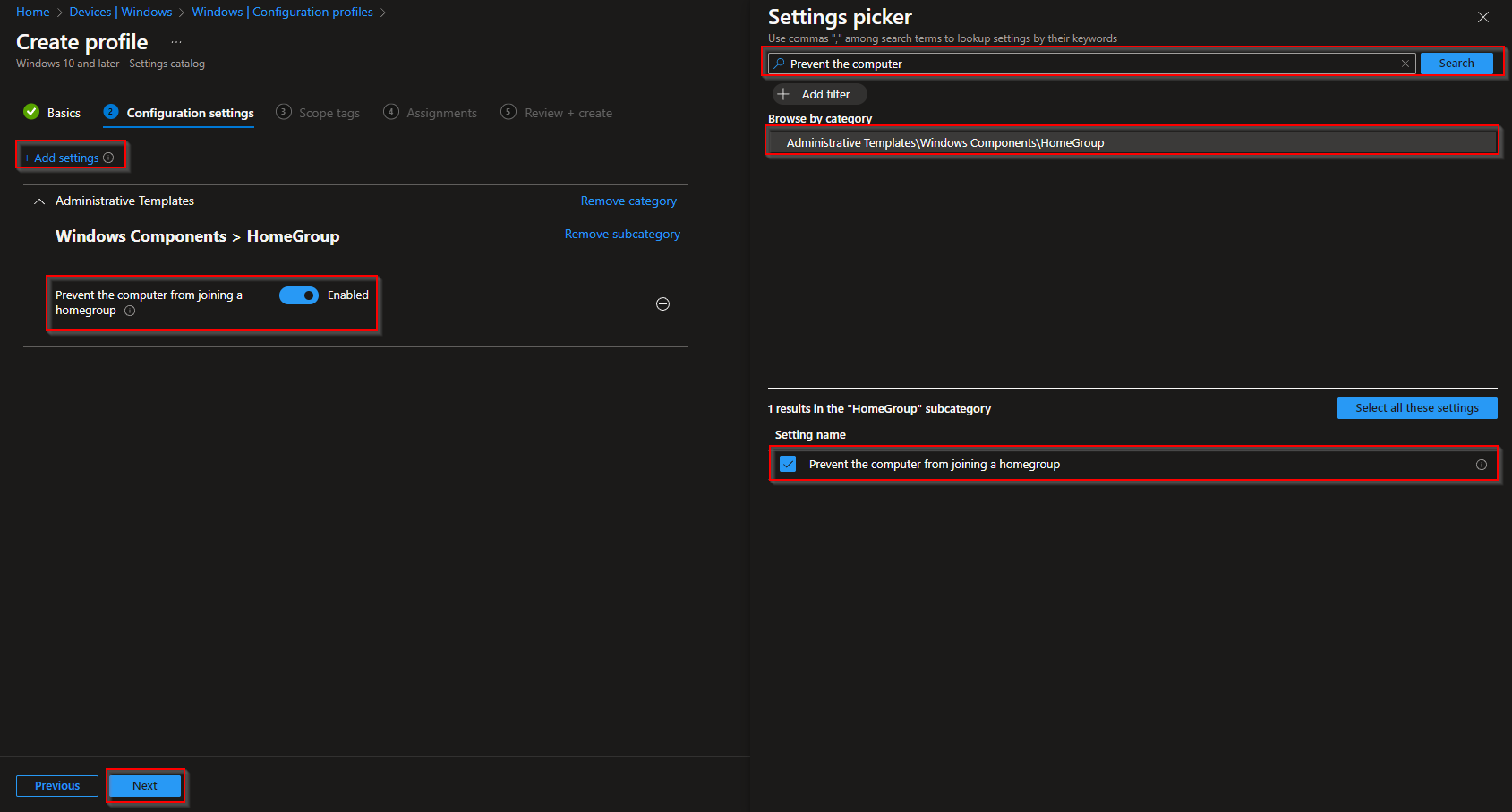
On Configuration settings, click Add settings. Search for Prevent the computer or homegroup. Expand Administrative Templates → Windows Components → Homegroup. Enable Prevent the computer from joining a homegroup. Click Next.
Step 4: Assign and Create
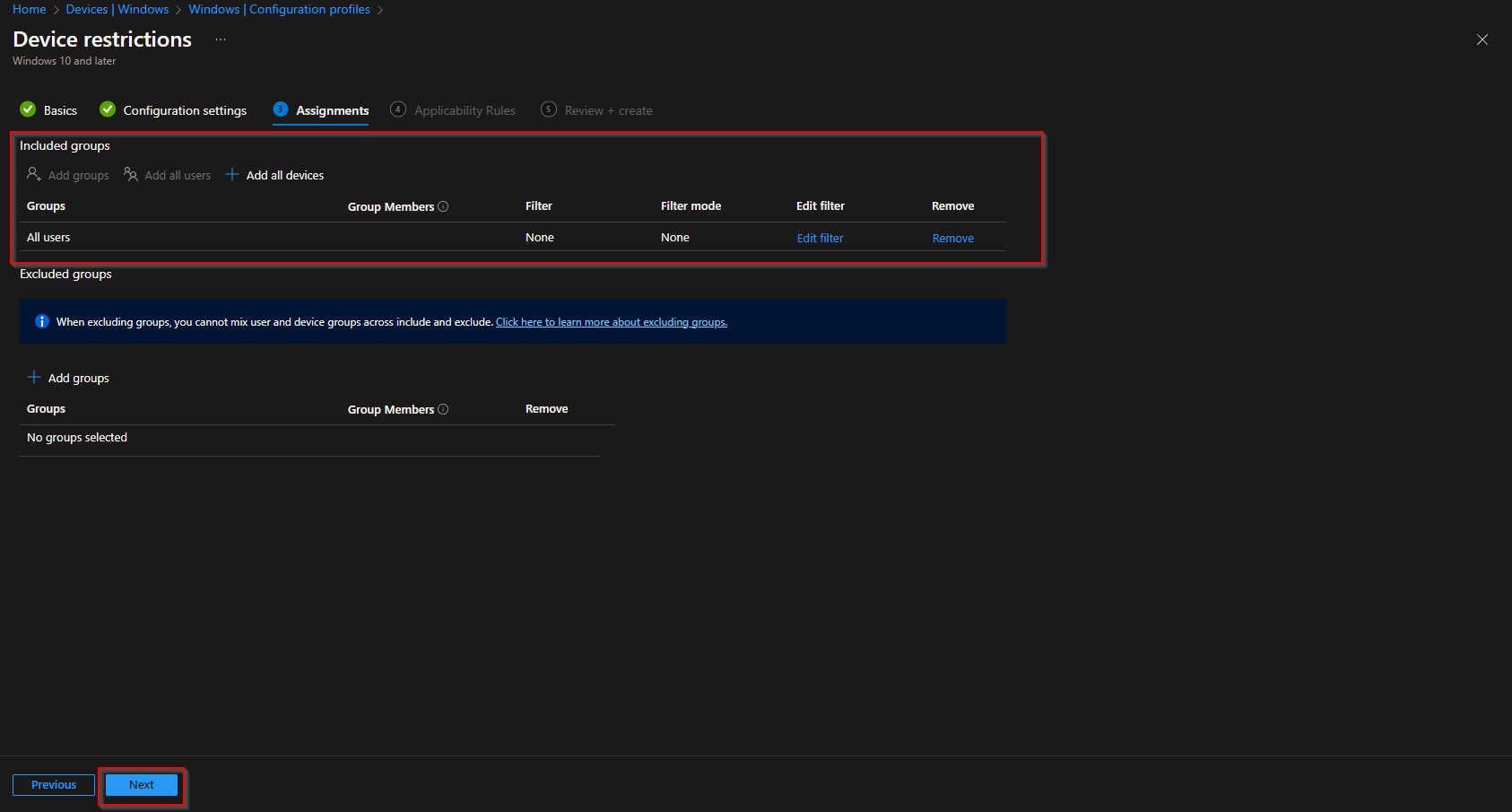
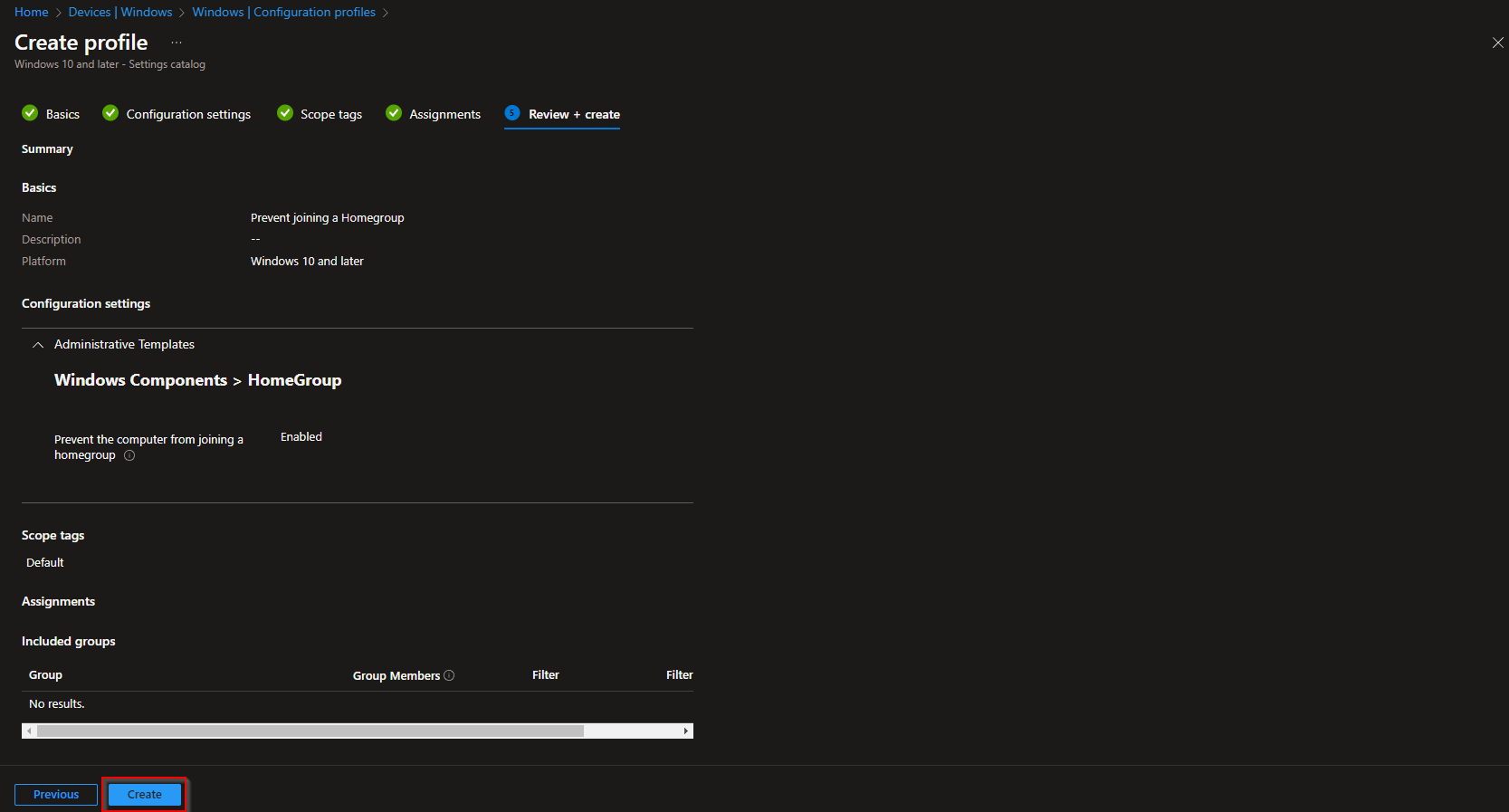
Add Scope tags if needed, then click Next. On Assignments, add the groups that should receive this profile (e.g. All Devices or a pilot group). Click Next, review the summary, and click Create.
After the profile syncs to a device, the policy prevents the computer from joining a homegroup. On builds where Homegroup still exists, the option to join will be disabled; on newer builds the setting has no visible effect because the feature is already removed.
Wrap-up
You’ve configured “Prevent the computer from joining a homegroup” with Intune by creating a Settings catalog profile and enabling the Administrative Template setting under Windows Components → Homegroup. Assign the profile to the right users or devices. For current Windows 10/11, Homegroup is already gone; this policy is mainly for older builds or a locked-down baseline. For official details on Homegroup deprecation, see Microsoft documentation on Homegroup removal.